

How to reduce screen time: help for adults
Your day might start with your phone, move to a laptop at work and end with the TV on and a tablet in your lap. None of it feels like much at the time. Then the weekly screen time report arrives and the number is far higher than you expected.
Many people find that once the automatic moves between screens slow down, they get real hours of their day back.
This page is about your total screen time as an adult, across every device. Screens aren’t the enemy, and most of us need them for work. The aim is for you to choose where your hours go, rather than drifting from one screen to the next. The check below shows where you sit, from everyday habit to addiction.
The hours stack up quickly. Adults in the UK spend an average of four and a half hours a day online, most of it on a smartphone (Ofcom, 2025). Separately, people watch an average of 4 hours 23 minutes of TV and video at home each day, on the TV set and other devices (Ofcom Media Nations, 2026). The two overlap, so you can’t add them together, but they show how much of the day screens now fill.
How much screen time is too much? Signs it has crept up
There isn’t one daily number that suits every adult, especially if you work at a computer. A more useful test is what screens are pushing out of your day.
- You move from screen to screen with no real break, laptop to phone to TV
- You often have two screens going at once, scrolling your phone while something plays on the TV
- Your eyes feel tired or sore by the evening, or you get headaches after long stretches on screens
- You sit for most of the evening, and some days you barely move outside work
- Your bedtime keeps slipping because you’re still watching or scrolling
- Hobbies, exercise or time with people have quietly shrunk to make room
Why it’s hard to cut down on screen time
Each screen has its own pull. Your phone offers something new every time you check it. Streaming services start the next episode for you. Feeds keep going with no natural end. Put them together and stopping is rarely the easy option. Screens also fill every gap, so boredom, tiredness or stress can all become cues to reach for one.
Work screens add another layer. After a day at a laptop, the evening can feel like the only time that’s yours, and a screen is the easiest way to switch off. Work time is mostly fixed, but leisure time is where you have the most choice, and it’s often where the hours quietly add up. Your eyes, your back and your sleep feel the total either way.
How hypnotherapy can help you reduce screen time
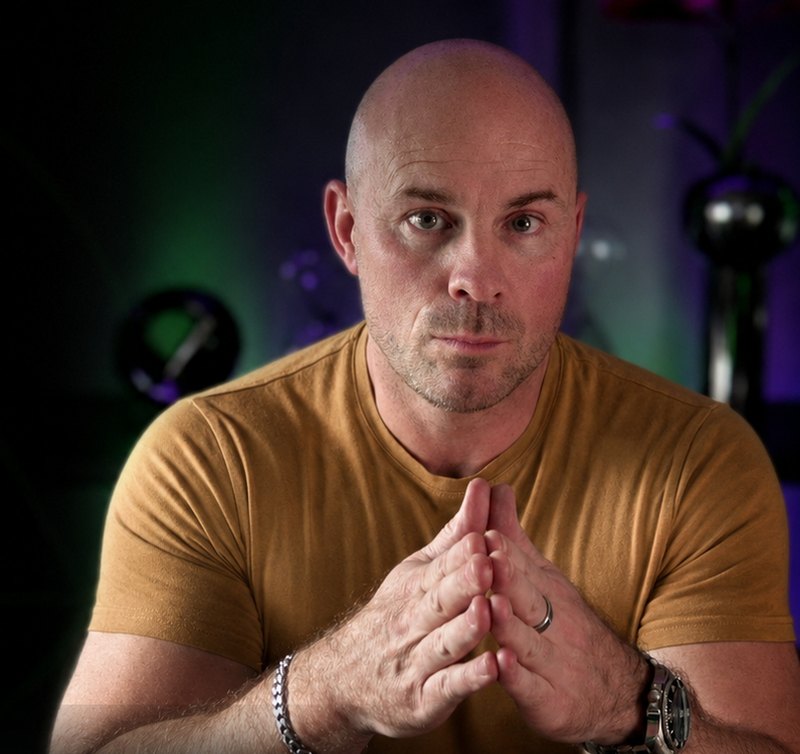
If you’ve seen your weekly screen time report and winced, you’re far from alone. Screens are part of almost everything we do, so the habit drifts from one device to the next without a clear place to stop.
Hypnosis helps you slow down enough to notice the automatic moves, such as picking up your phone when the TV goes quiet or opening the laptop again after dinner. We rehearse a different response to those cues until it starts to feel normal. We also look at what screens do for you, such as helping you unwind or filling a quiet evening. When those needs have another outlet, screens have less to hold on to.
I’ve spent 17 years in clinical practice, and I hold a Postgraduate Certificate and a Postgraduate Diploma in Clinical Hypnotherapy, both with Distinction.
The practical changes are still yours to make, like where your phone sleeps and when the TV goes off, and how quickly things settle varies from person to person. What sessions can do is take some of the fight out of sticking to them.
How to reduce screen time: things you can try today
- Find your real number. Check the screen time report on your phone and note roughly how long the TV and laptop are on for a few days. Split it into work and leisure, so you can see which part you can change.
- Protect the last hour before bed. The NHS suggests trying not to use phones, tablets or computers for an hour before bed, because the blue light from screens can make it harder to fall asleep (NHS Every Mind Matters). Start with 30 minutes if an hour feels too much.
- Get up and move. NHS guidance is to break up long periods of not moving with some activity (NHS). Stand up at least once an hour at work, and between episodes at home.
- Rest your eyes. Look up at something in the distance now and then, and take regular breaks from screen work.
- Use one screen at a time. If the TV is on, leave your phone in another room.
- Choose some screen-free times. Meals and the first half hour after waking are good places to start. Fill the space with something you enjoy, or the screen will drift back in.
When to see your GP or an optician
If your eyes are often sore or blurry, or you get regular headaches, book an eye test with an optician. If you use a screen regularly for your job, the law says your employer must arrange an eye test if you ask for one (HSE).
If you still can’t sleep after cutting back in the evening, or you’re on screens to escape anxiety or low mood, talk to your GP. In England you can also refer yourself to NHS Talking Therapies if you’re 18 or over (16 or 17 in some areas).
If one kind of screen is the main problem, see phone addiction, doom scrolling, binge watching or internet and social media addiction.
Worried about a child’s screen time? I work with adults only, so this page is about your own screens. For children under 5, the government’s Best Start in Life guidance suggests avoiding screens for under 2s except for shared activities, keeping it to about an hour a day for 2 to 5 year olds, and avoiding screens in the hour before bed. For older children, your GP is a good place to start if you’re concerned.
If you’re feeling hopeless or thinking about ending your life, call Samaritans free on 116 123, any time, or text SHOUT to 85258. Call 999 if you’re in danger.
Common questions
How much screen time is too much for adults?
There isn’t one number that suits every adult, and some of your screen time may be work you can’t avoid. I’d look less at the total and more at the cost. If screens are cutting into your sleep, leaving you sore or stiff, or crowding out people and things you enjoy, it’s worth cutting back. Try the check on this page to see how your own screen use looks.
Does screen time at work count?
Your eyes and your body feel all of it, so in that sense it counts. Work screens are usually the hardest to change, though, so I’d start with your evenings. Regular breaks during the working day still help.
Is too much screen time bad for your eyes?
The Health and Safety Executive says screen work doesn’t cause lasting damage to your eyes, but long periods can leave them tired and uncomfortable and can bring on headaches. Breaks help, and if the symptoms keep coming back, get an eye test.
How many sessions will I need?
It depends on how much of your day screens fill and what they do for you. If it’s mostly your evening routine, we can work on that in one 90 minute session. If screens are how you cope with stress or boredom, three sessions give us time to work on that too. Your consultation call is where we’d decide.
How do sessions work?
We meet one to one over Zoom, so yes, the session itself is on a screen. We work from your own routine, and you get a recording of the hypnosis afterwards to listen to with your eyes closed.
Want help to cut your screen time?
A short call is the simplest next step. Here’s how it works.
- Take the check. See where you are now with the free check on this page.
- Talk it through. Book a £49 consultation call. We’ll look at whether sessions would help, and the fee comes off your first session.
- Start your sessions. We work one to one over Zoom, and you keep a recording of the hypnosis to listen to between sessions.
See all session options and prices
Hypnosis downloads to help you cut down on screens
For something to use at home, these downloads cover changing habits, winding down in the evening and spending your time on what matters to you. Each one is a single purchase.


Written by Adam Cox, clinical hypnotherapist. Sources: Ofcom, From apps to AI search: how the UK goes online in 2025; Ofcom, Media Nations 2026; NHS Every Mind Matters, sleep tips; NHS physical activity guidelines for adults; HSE, display screen equipment eye tests; Best Start in Life, screen time guidance for under 5s; NHS Talking Therapies; Samaritans; Shout. Checked October 2026.